
DNS and mail checks in one app
For everyone who looks after domains, mail servers and name servers
The iw Toolbox checks DNS, mail authentication, certificates and reachability straight from your machine: no detour through someone else’s servers, no ads, no query limits. Plus about 80 tools for everyday development work.
macOS 12 or later · Windows, Linux and mobile to follow · free for personal use
Check DNS
Query records, validate the DNSSEC chain, compare propagation around the world, check name servers for consistency and trace resolution from the root.
Secure mail
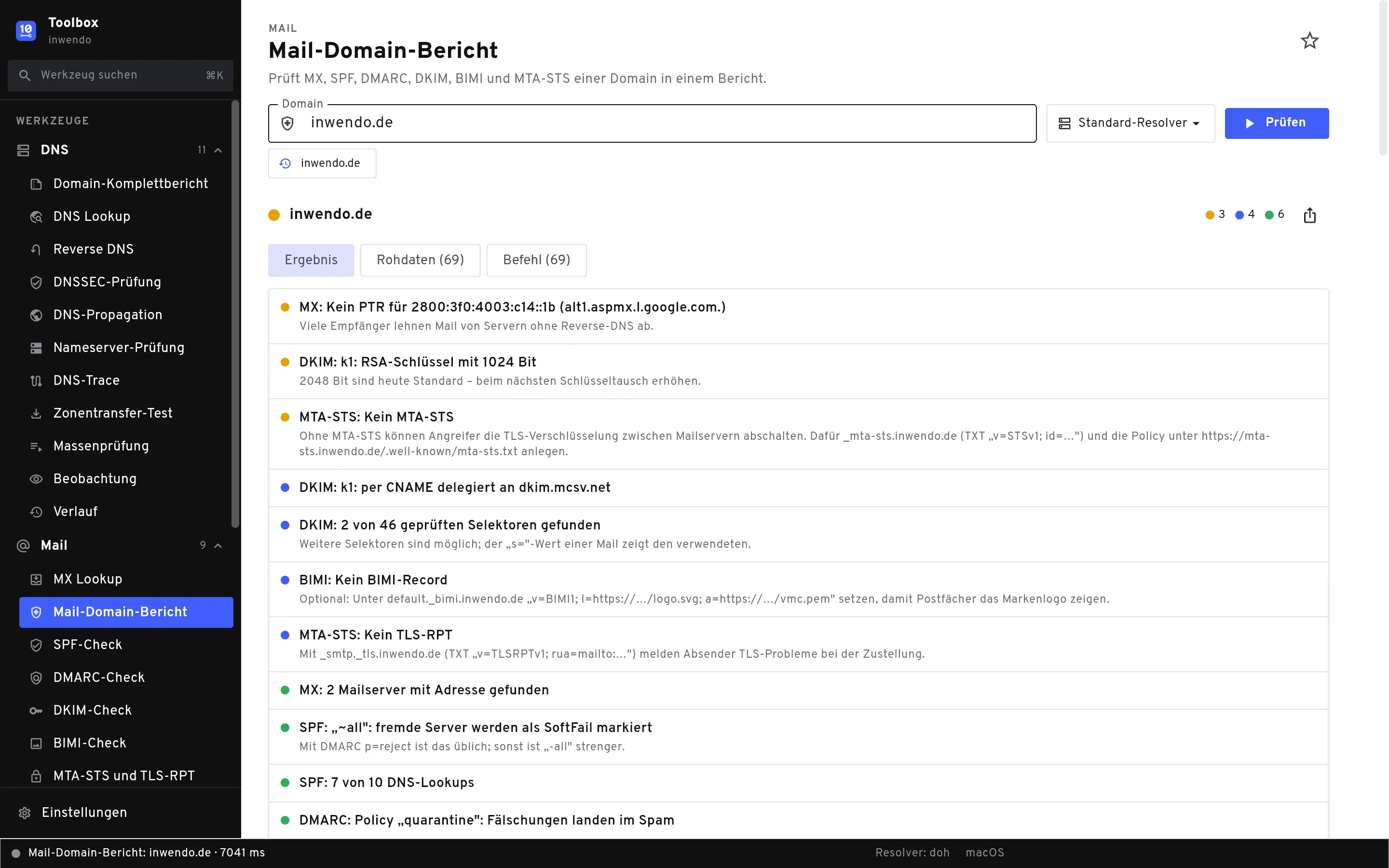
MX, SPF, DMARC, DKIM, BIMI and MTA-STS in one report, plus blacklists and an SMTP test with STARTTLS. Every finding tells you in one sentence what to do.
Tools at hand
Read a JWT, calculate subnets, format JSON, compute hashes, test a regex: about 80 tools that would otherwise be spread across a dozen browser tabs.
What the Toolbox does
Every check shows three things: the result with a traffic light, the raw data of every answer, and the command that reproduces the result in your terminal.
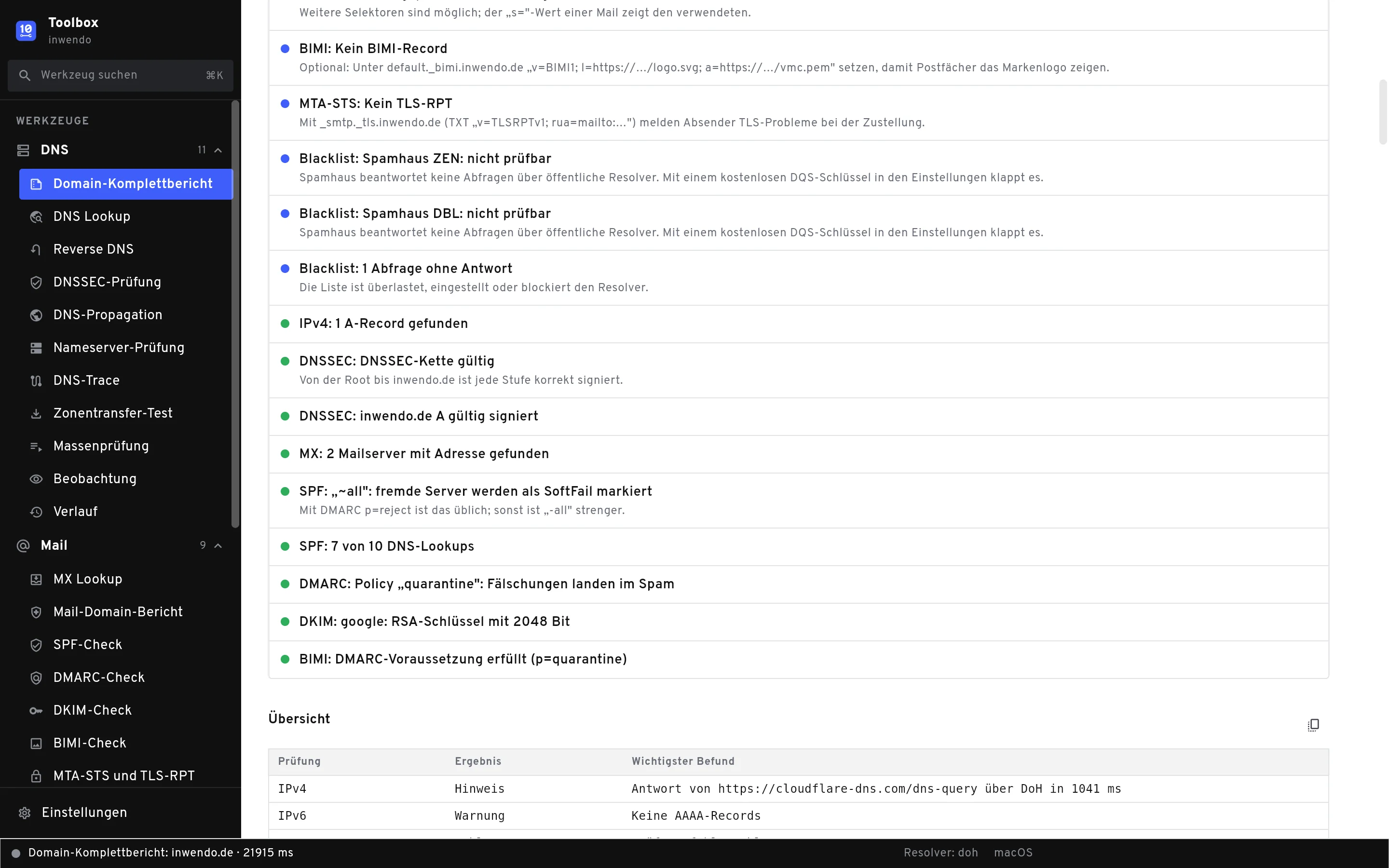
One domain, one report
The full domain report runs a domain through every DNS and mail check and sums it up on one page: name servers, DNSSEC, whois, MX, SPF, DMARC, DKIM, BIMI, MTA-STS and blacklists.
- Findings with traffic light and a concrete hint
- PDF for customers with inwendo footer
- Export as JSON or CSV
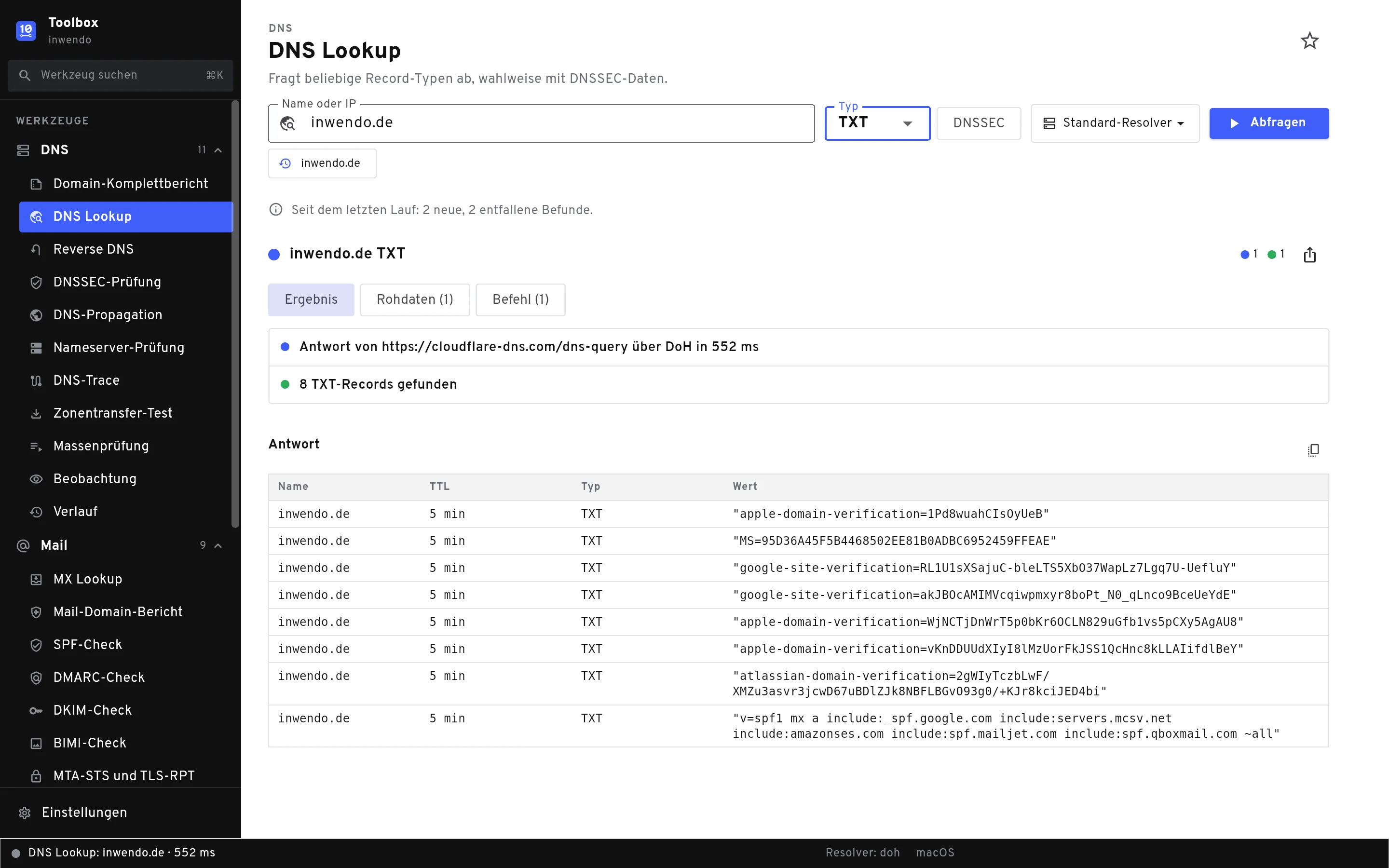
DNS like dig, only readable
Query any record type at any resolver, with DNSSEC data if you like. The Toolbox talks to name servers directly over UDP and TCP, and over DNS over HTTPS in the browser.
- Raw data in dig format
- The command to reproduce it in the terminal
- History and favourites for recurring checks
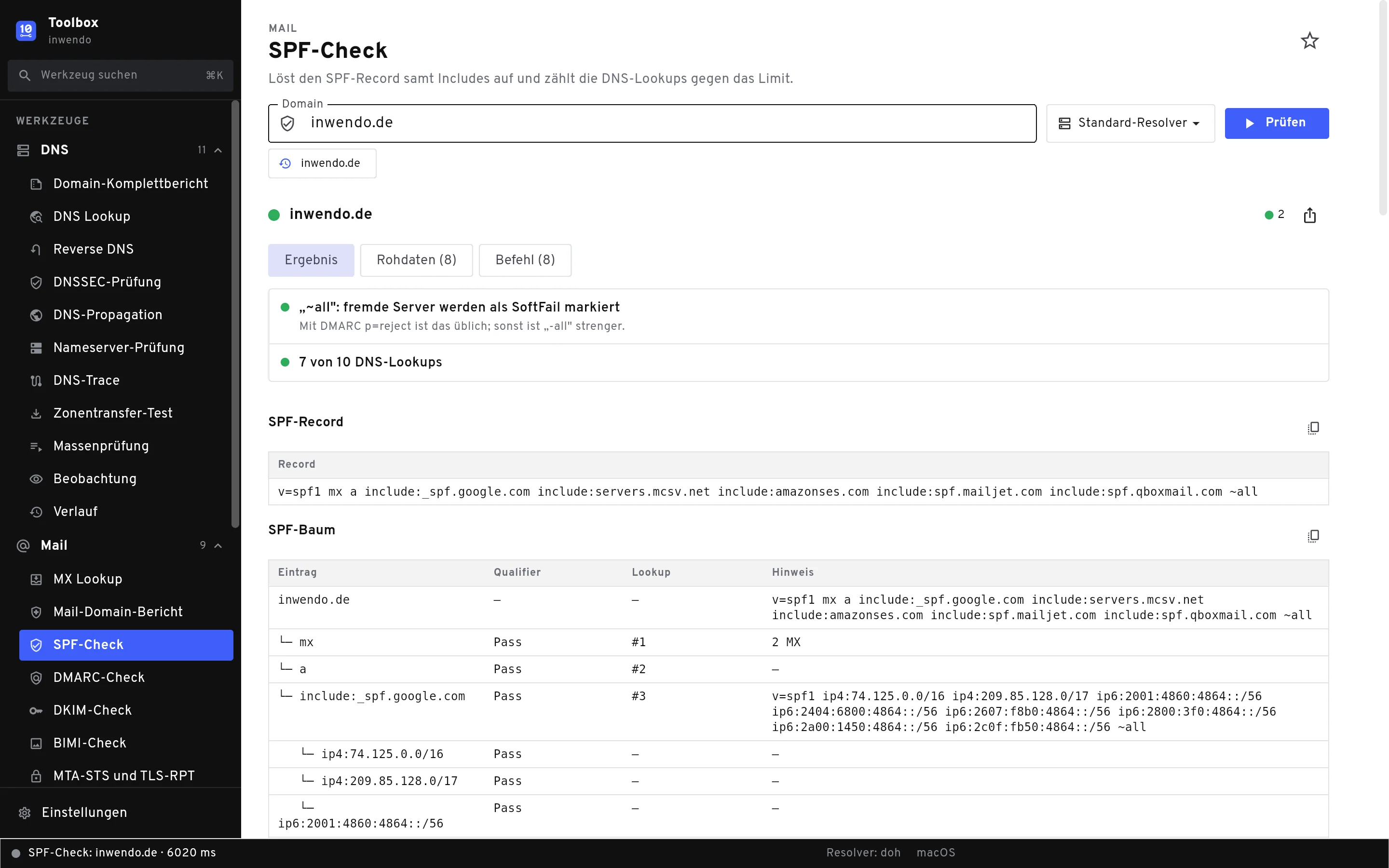
Understand mail authentication
The SPF check resolves every include and counts DNS lookups against the limit of ten. DMARC, DKIM and BIMI are checked and explained, blacklists are queried in one go.
- SPF tree with lookup counter
- DKIM with common selectors
- SMTP test with banner, STARTTLS and certificate
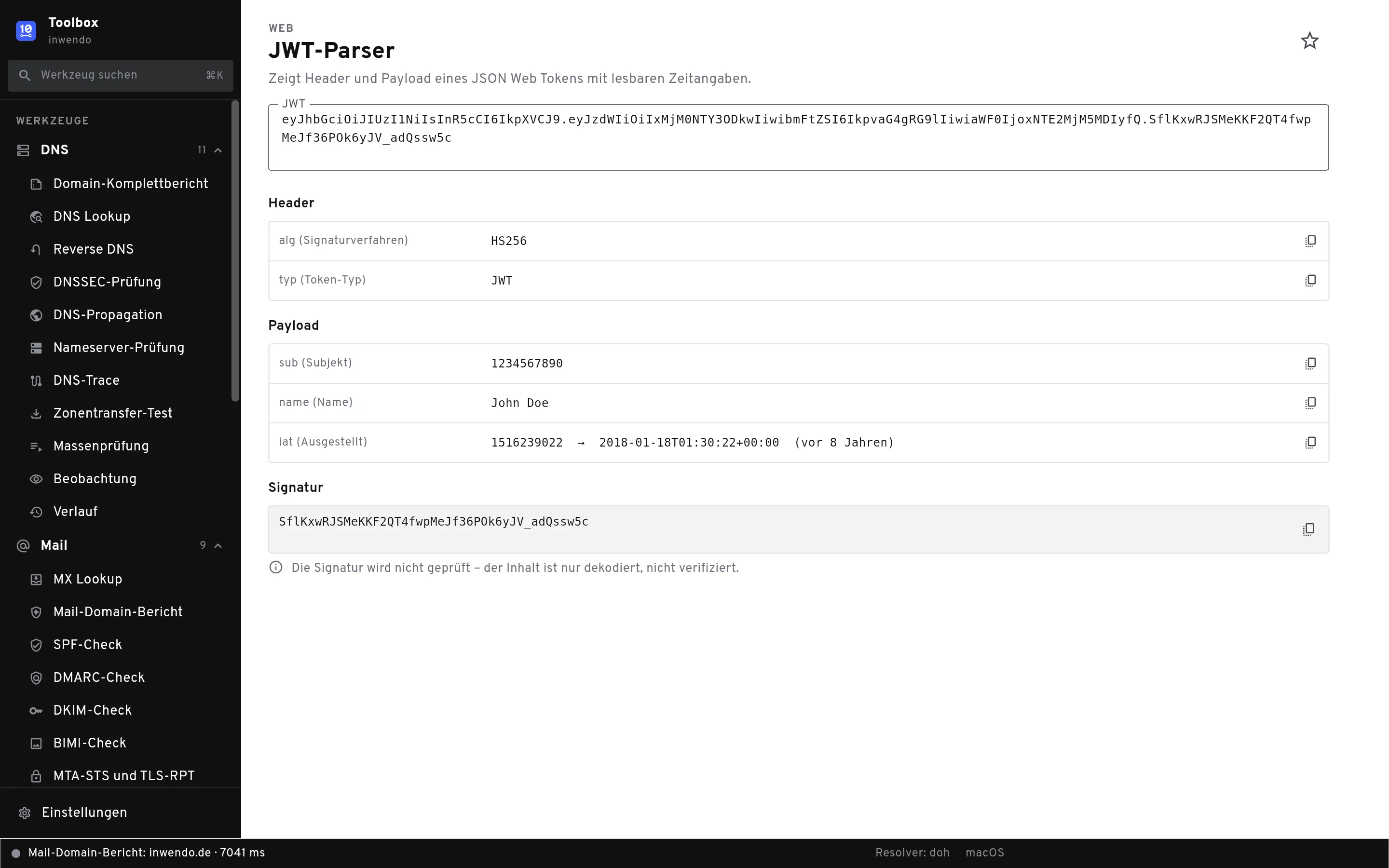
About 80 developer tools
From a JWT parser to a subnet calculator and crontab generator, to Base64, hashes, UUIDs and QR codes. Everything runs locally, nothing leaves your machine.
- Search all tools with ⌘K
- Favourites in the sidebar
- No licence needed
And there is more
Bulk checks and watching
Check a list of domains in one go, or let the Toolbox watch records and tell you as soon as something changes.
MCP server for AI assistants
The Toolbox offers its checks locally as an MCP server, so your AI assistant can query DNS and mail settings directly, protected by a token.
Your queries stay with you
No account, no tracking in the app, no third-party server in between. Queries go straight to the name, mail and web servers you are checking.
What does the Toolbox cost?
DNS lookup, MX lookup, reverse DNS and all developer tools always work without a licence. A licence key unlocks the other checks.
Personal & inwendo customers
Free
For personal use and for everyone whose domains, servers or apps are looked after by inwendo.
- All DNS, mail and network checks
- Full domain report as PDF
- Bulk checks, watching, every check in the MCP server
Companies & agencies
On request
For commercial use in your team. Get in touch and we will find a model that fits.
- All DNS, mail and network checks
- Licence for several seats
- Help with the setup
Frequently asked questions
Why an app when there are checker websites?
Online checkers query from their own servers. The Toolbox queries straight from your machine, just like your users do, and without query limits. It also shows the raw data of every answer and the matching terminal command.
Which systems does the Toolbox run on?
The macOS app (macOS 12 or later) comes first. Windows, Linux and a slimmed-down version for iOS, Android and the browser will follow. In the browser, DNS queries use DNS over HTTPS because direct connections are not possible there.
Which checks work without a licence?
DNS lookup, MX lookup, reverse DNS, the history and all developer tools. The other DNS, mail and network checks, the full domain report, bulk checks and watching need a licence. The MCP server follows the same split.
What does the licence cost?
Nothing for personal use and for inwendo customers. Companies and agencies get a quote: just write to us using the licence form.
Does the Toolbox send my data anywhere?
No. Checks go straight to the servers you are checking. The app only talks to inwendo to validate your licence key, to look for updates and when you use the IP unban tool. The docs list every connection under Privacy in the app.
Is the app available in English?
The interface is in German for now. The labels are short and the docs on this site are available in English, so you can find your way around.
Ready for your next check?
Download the Toolbox and check your first domain. The docs explain every check and every finding.